Screen Video Notes
Video → scenes, OCR, and precise timestamps
In short
A regular transcript loses code, slides, and on-screen actions, while frame-by-frame recognition of the entire video is expensive and creates many duplicates.
Outcome
The pipeline finds scene changes, links keyframes, OCR, and speech by timestamps, and assembles a verifiable summary with pointers to the original source.
How the automation runs
Trigger
Own or authorized video for processing appears, where the visual layer is important for understanding
Automation steps
- Checks processing rights and creates a local working copy
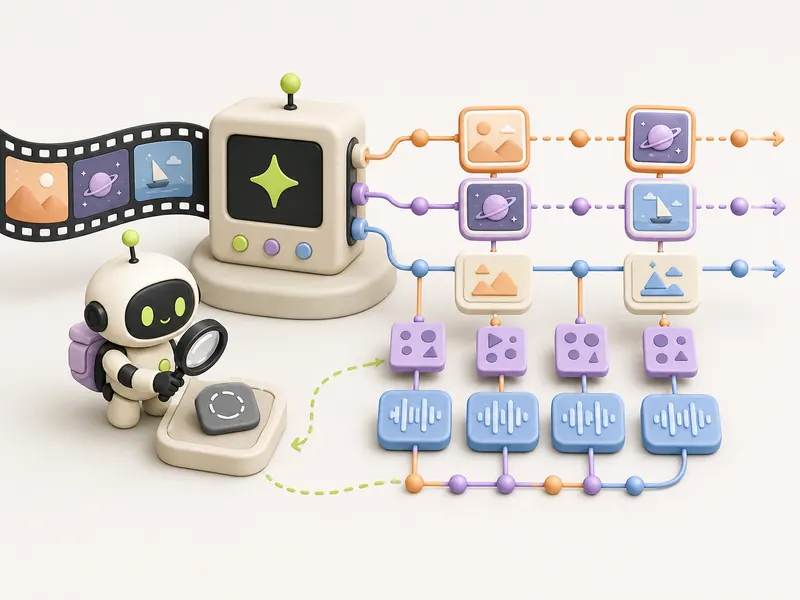
- Finds scene changes and selects representative frames without unnecessary frame-by-frame scanning
- Builds transcript and OCR with timestamps and confidence scores
- Links notes to a specific frame and audio segment
- Sends low-confidence fragments for manual review and caches the result
Human check
A person verifies rights, on-screen secrets, low-confidence OCR, and code before publishing or launching; the pipeline does not distribute the original video.
Outcome
The pipeline finds scene changes, links keyframes, OCR, and speech by timestamps, and assembles a verifiable summary with pointers to the original source.
Automation diagram
The overall logic is publicUsing it
When to use it
The meaning of a tutorial or demonstration lies in both speech and on-screen content, and notes must remain traceable.
How to verify
Each key statement leads to a timestamp and frame, selective OCR matches the screen, and code, after manual review, runs in an isolated environment.
Tools
Recipe details
Open every recipe through @venturehunter
We ask for no phone number, no password and no Telegram login on the site. @penioza_bot checks your subscription inside Telegram and brings you back here with access to every kit, not just this one recipe.
Need help putting this in place?
We will walk through your process and build this loop around your data, your limits and your people.
Message me — I will help